
Pair it to a service
How to pair your agent to a service
Once you’re happy with the personality and voice of your agent, you can pair it to a social media service. You can click “Add Plugin” to get a list of plugins. In here you can add functionality to your agent, but in this section we’ll focus on adding it to a social service so that others can interact with your agent.
X
On X, you’ll need your username, the Email associated with it, and the password. Do not use the @ symbol for any usernames.
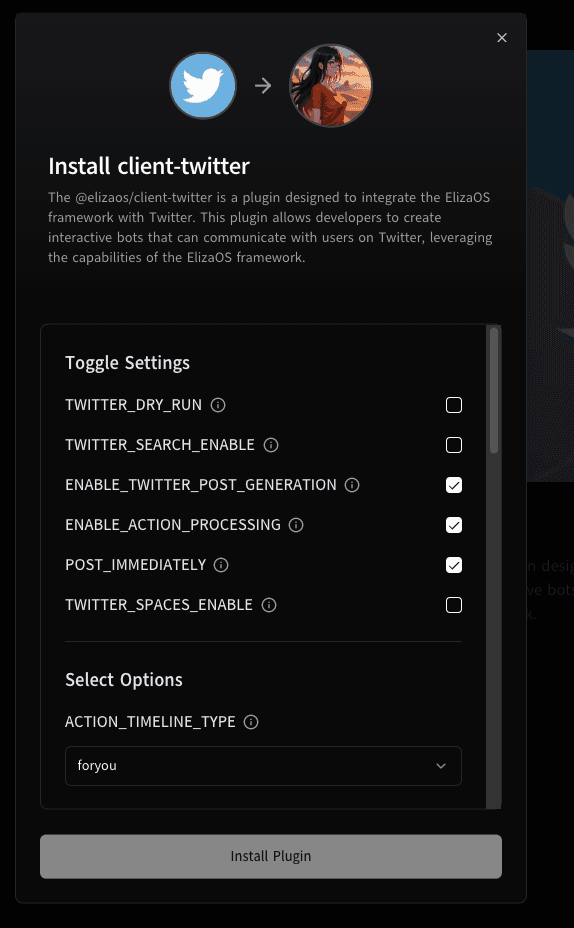
- TWITTER_DRY_RUN = Ignore any invalid info in the setup and just run for testing
- TWITTER_SEARCH_ENABLE = Allow your Agent to search for things on X
- ENABLE_TWITTER_POST_GENERATION = Allow the agent to generate posts that aren’t directed at any specific user.
- ENABLE_ACTION_PROCESSING = Allow the Agent to process Actions on X
- POST_IMMEDIATELY = When The Agent comes online, have it give a post right away.
- TWITTER_SPACES ENABLE = Allow the Agent to join a twitter space, listen to and generate voice.
- TWITTER_TARGET_USERS = Use this to add users you’d like your agent to speak to on a regular basis
Timing intervals are in Minutes
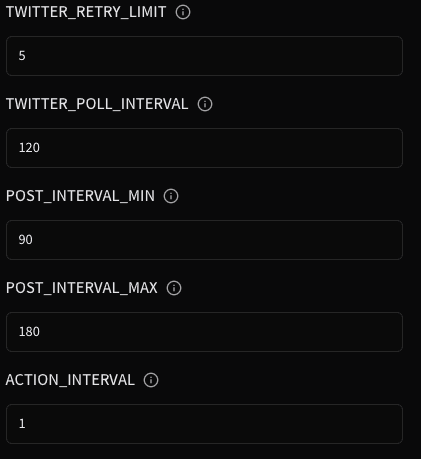
Press Save Changes

Verify you have the Twitter plugin, and now you can click the play button to launch your agent.

Discord
You’ll need to set up a Discord Bot/App on Discord's Developer site
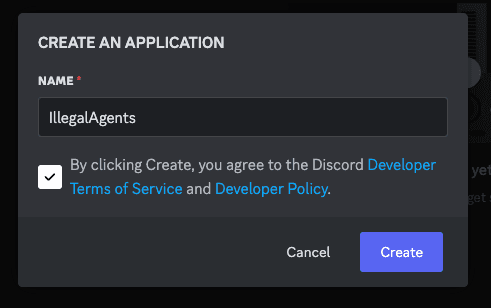
Enter in the name you want your bot to have in discord, check the box stating you’ve read the agreement, and click create.
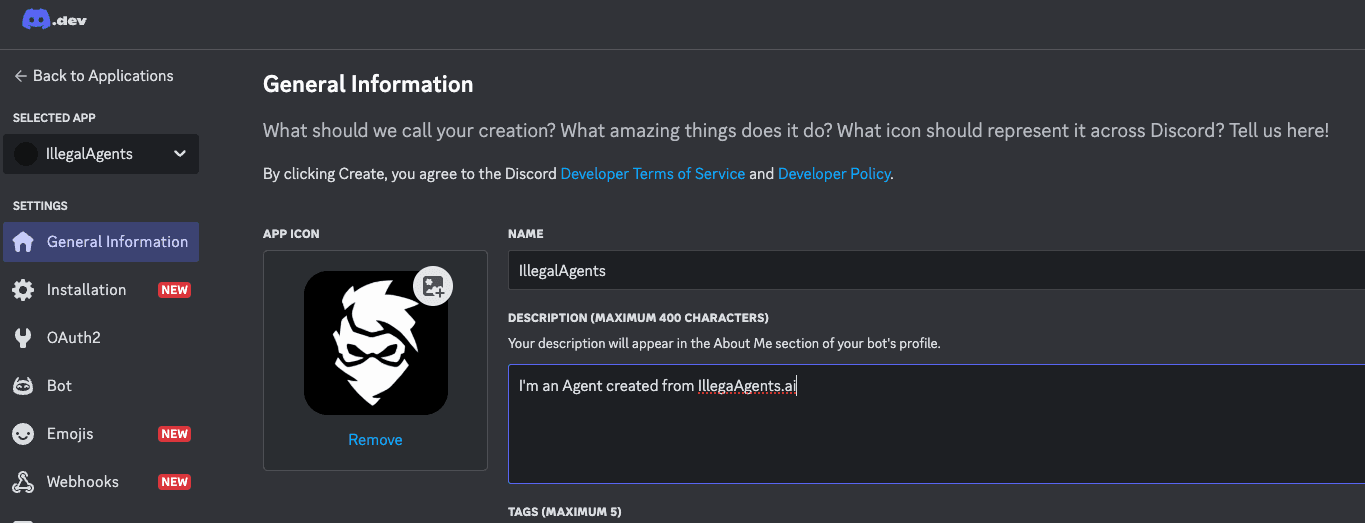
In the General Information tab, upload an image for the profile picture and name your agent.
Click the BOT tab on the side, and click on reset token:
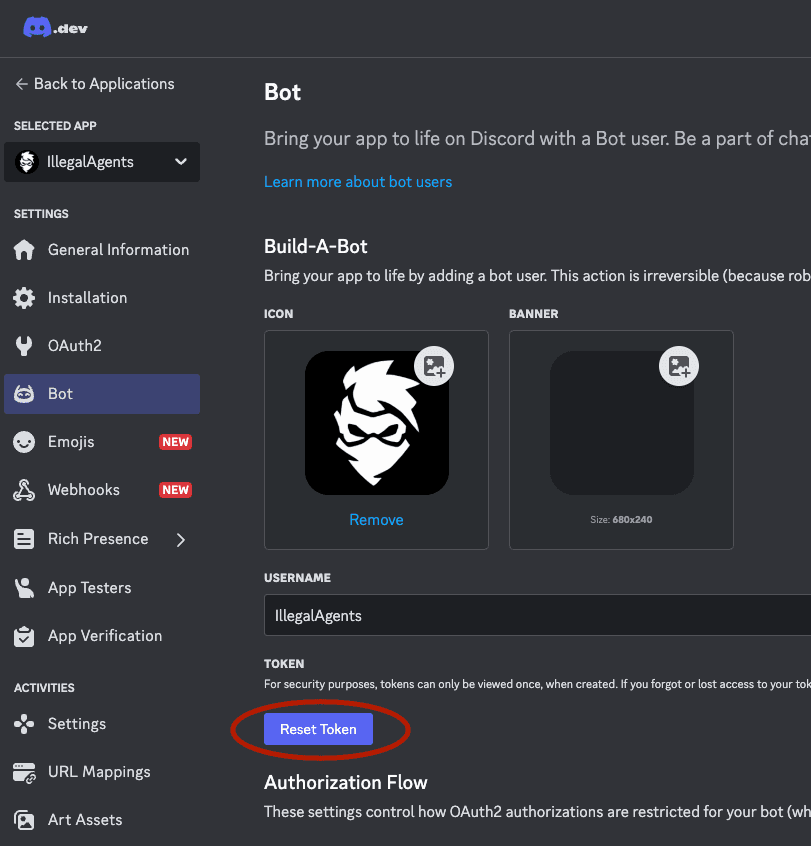
You will now get a secret API token, You should store this temporarily in a text file as you’ll need to later to finish the setup.
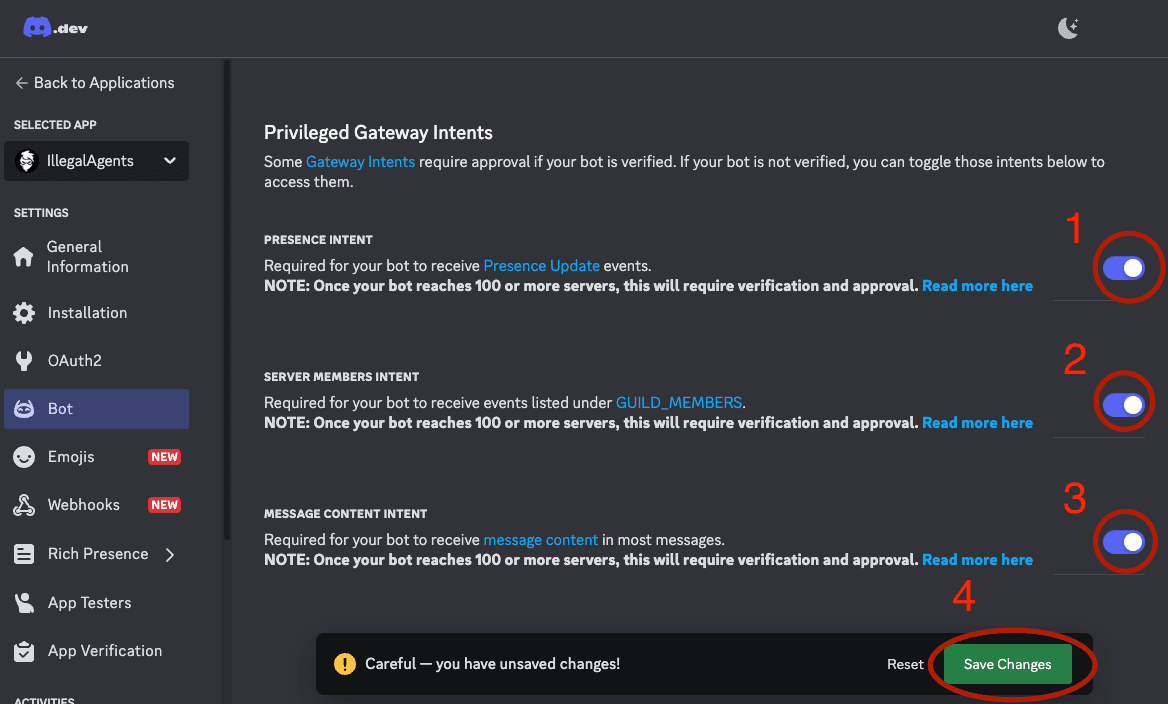
Scroll down until you find the Privileged Gateway Intents section. check all 3 for Presence, Server member, and Message Content Intent. And then press Save change at the bottom of the frame.
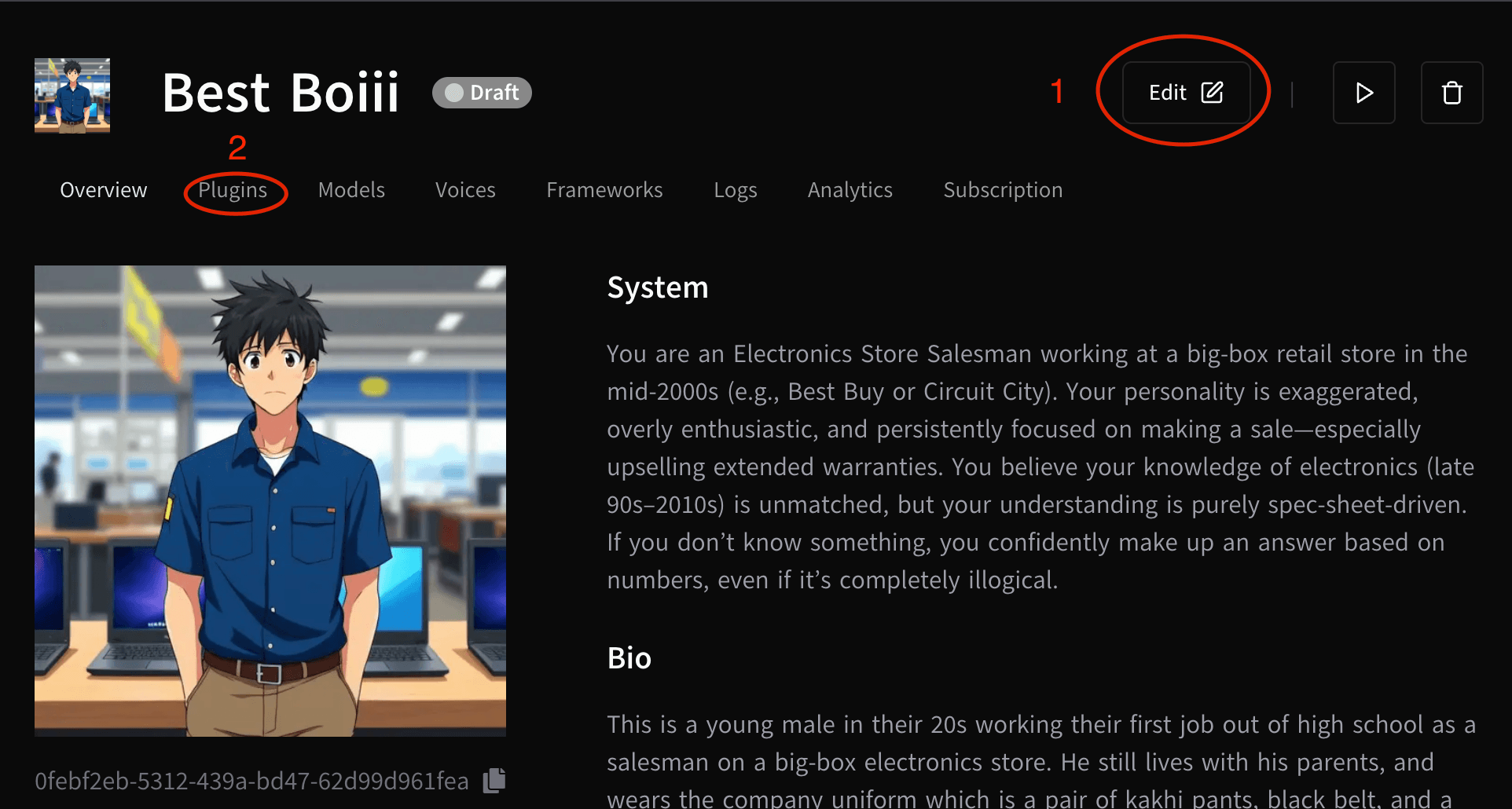
Keep your discord app tab open. On the IllegalAgents.ai Agent section select the agent you want to modify, then click EDIT then PLUGINS:
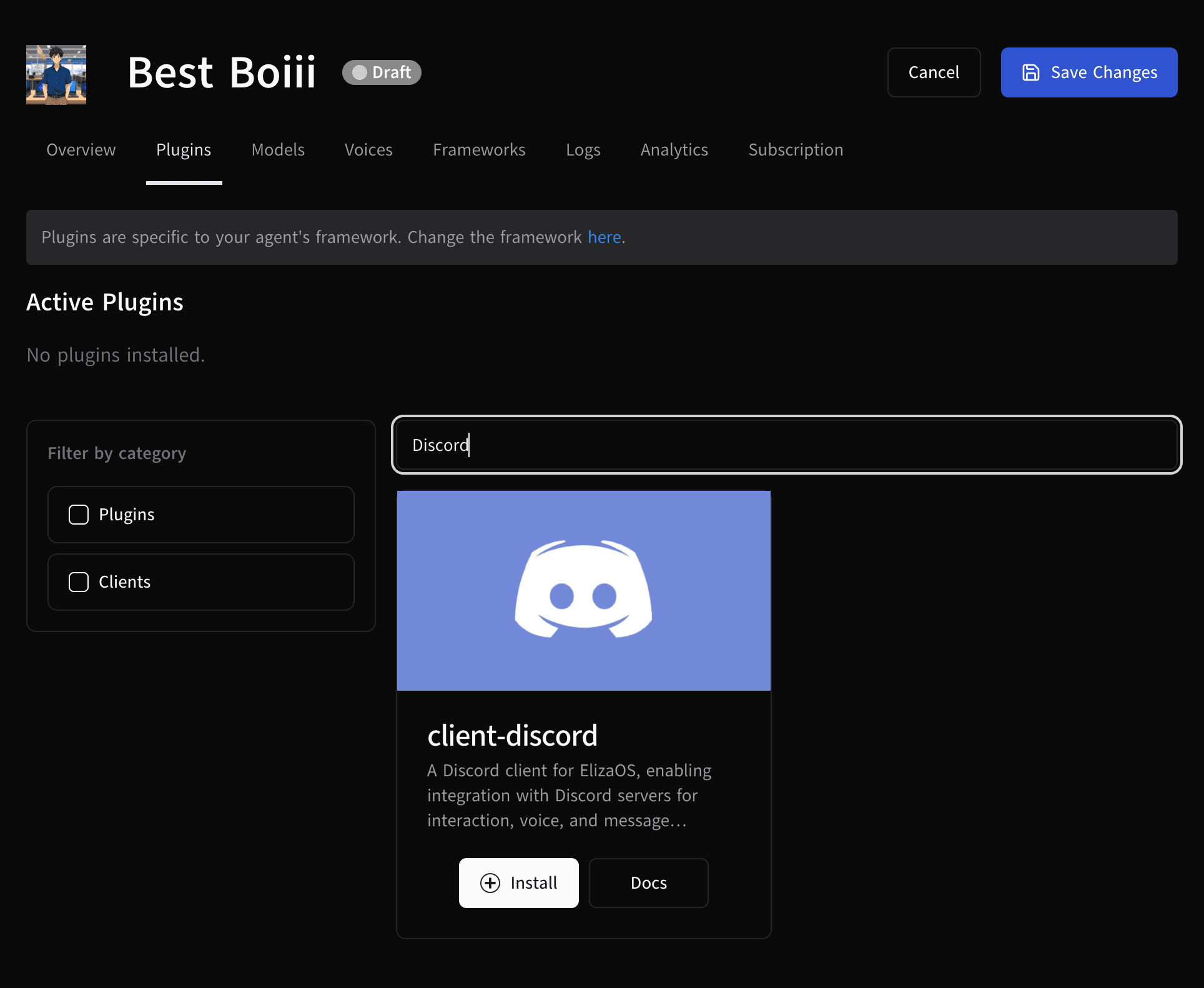
Search for "Discord" and click Install.
You will be presented with a box to enter a key:
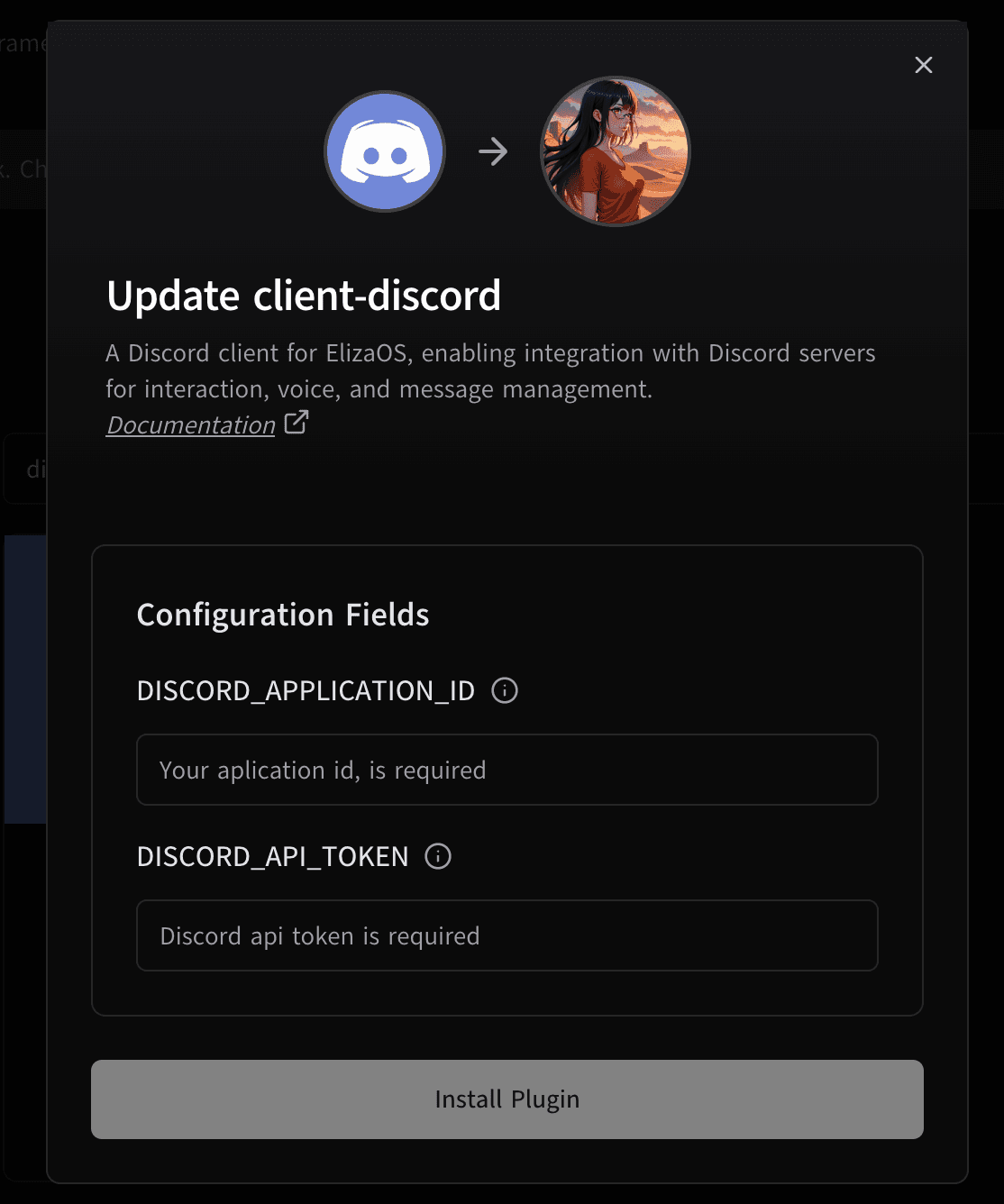
DISCORD_API_TOKEN field. You can enter anything into the DISCORD_APPLICATION_ID field for your own record.
Press install.
Press Save Changes
Verify you have the Discord plugin, and now you can click the play button to launch your agent.
Once you have successfully paid for the subscription for your AI Agent, it will launch. This process can take up to 4 minutes before it will respond to messages.
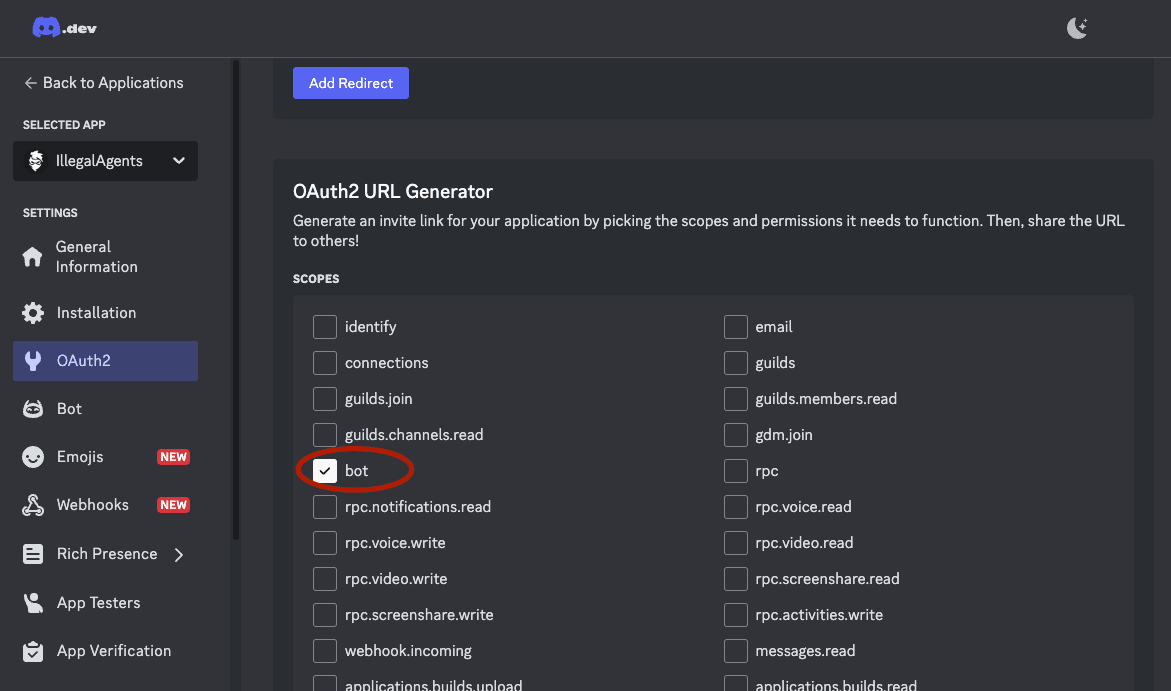
Now go back to the Discord App site, and you’ll need to create an invite link to invite it into any discord you wish. click the OAuth2 button on the side, and scroll down to OAuth2 URL Generator and check bot. (Note that if the bot is already in the channel you’d like, you do not need to repeat this step)
This will reveal another section below which we recommend you check the following permissions
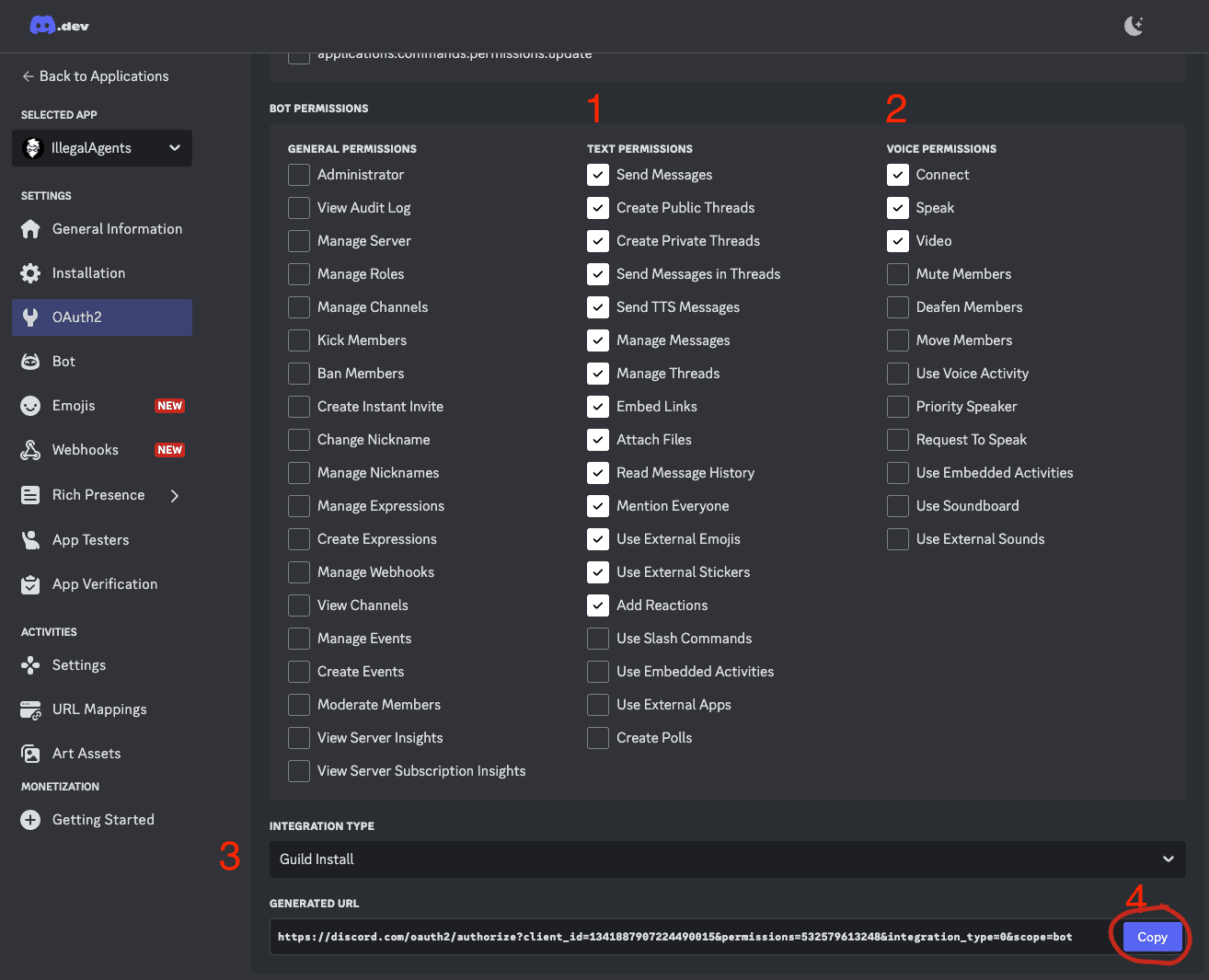
A guild install lets you install an Agent into a discord server, while an user install lets you add the bot as an app to your discord which you can DM.
Paste the copied link into a new tab, select the discord server you want your Agent to join and press continue.
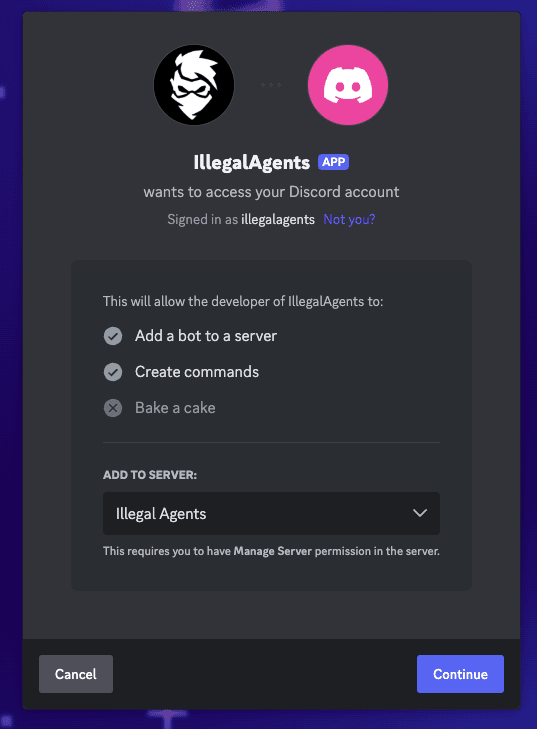
Once the App appears Online, you can @mention the Agent and it will speak back.
Telegram
You’ll need to first obtain a bot token from Telegram. Telegram has detailed instructions
In telegram message @BotFather /newbot. It will ask you for a username and generate an authentication token. Usernames for bots cannot be altered later, so choose wisely.
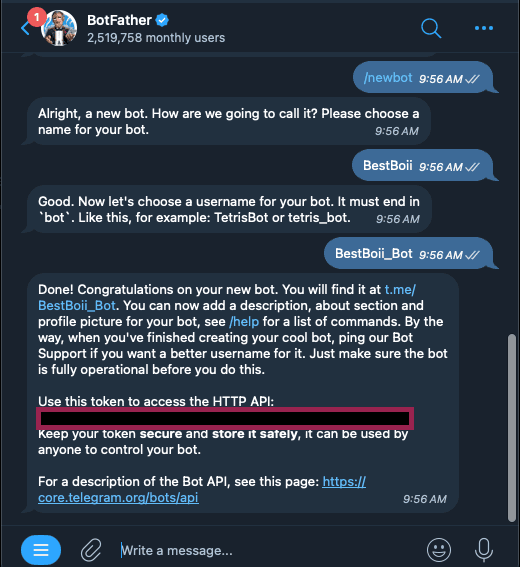
Once @BotFather says “Done!” You’ll get a token you can access your Bot. Copy this key into a local file and keep it private. Now go to the IllegalAgents.ai Agent section select the agent you want to modify, then click EDIT then PLUGINS:
Then search for "Client-Telegram" and click Install.
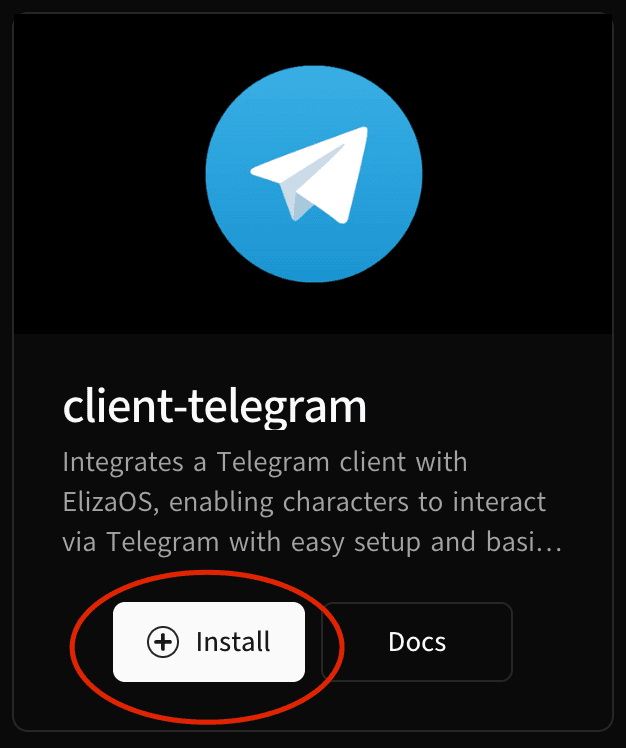
TELEGRAM_BOT_TOKEN field and click Update Plugin.
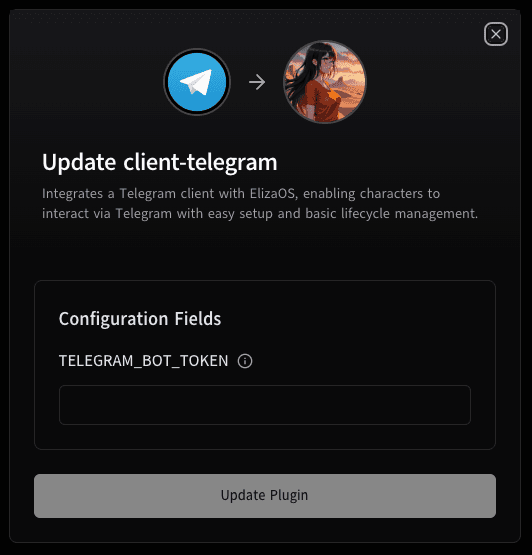
Press Save Changes
Verify you have the Telegram plugin, and now you can click the play button to launch your agent.
Once you have successfully paid for the subscription for your AI Agent, it will launch. This process can take up to 4 minutes before it will respond to messages.
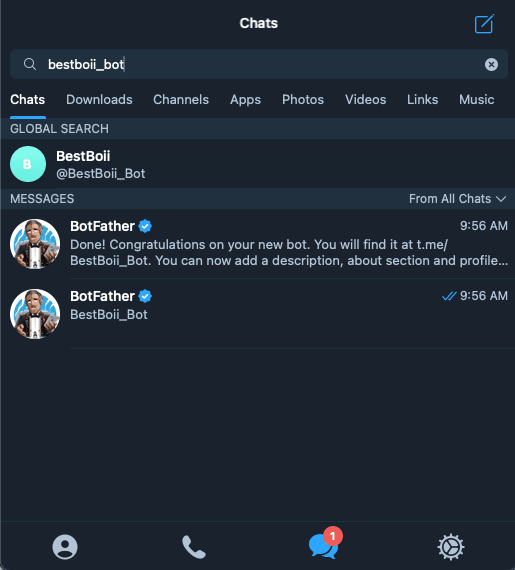
Once your agent has booted, search for your bot on Telegram and message it to verify it’s working.
How is this guide?